

A bilingual menu in Arabic and English, on one link
Some of your guests read Arabic first, some read English. Craftel gives you one menu in both: write each dish in the two languages, and guests switch with one tap. Same link, same QR code, same prices.
14 days free. No card needed.
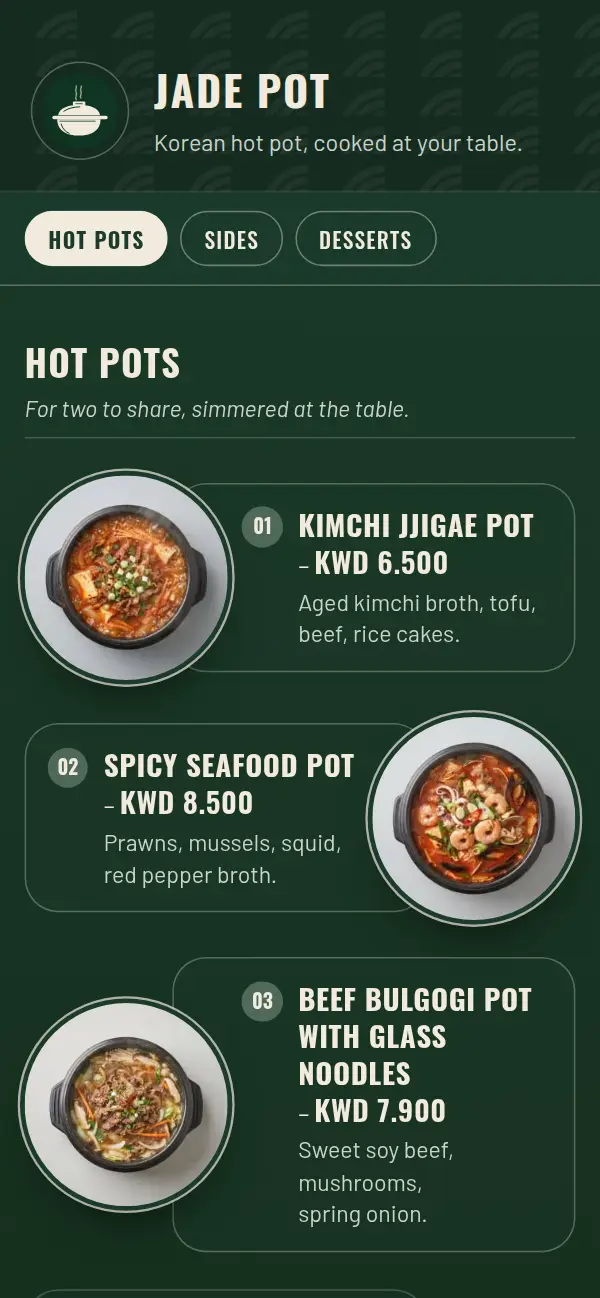
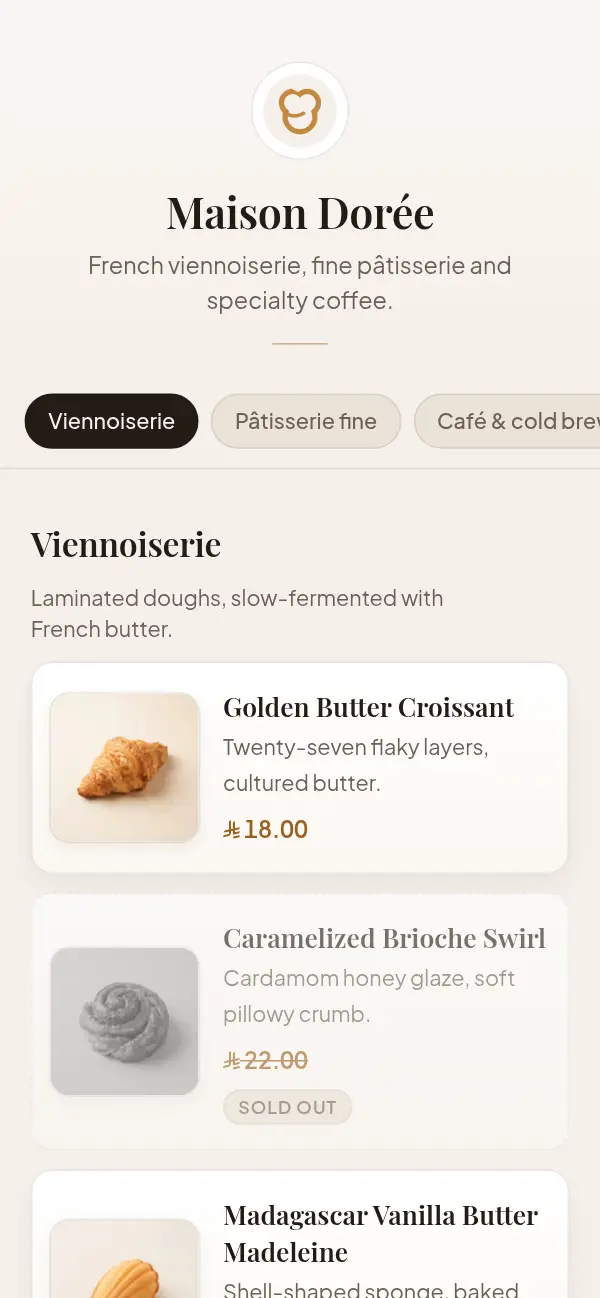
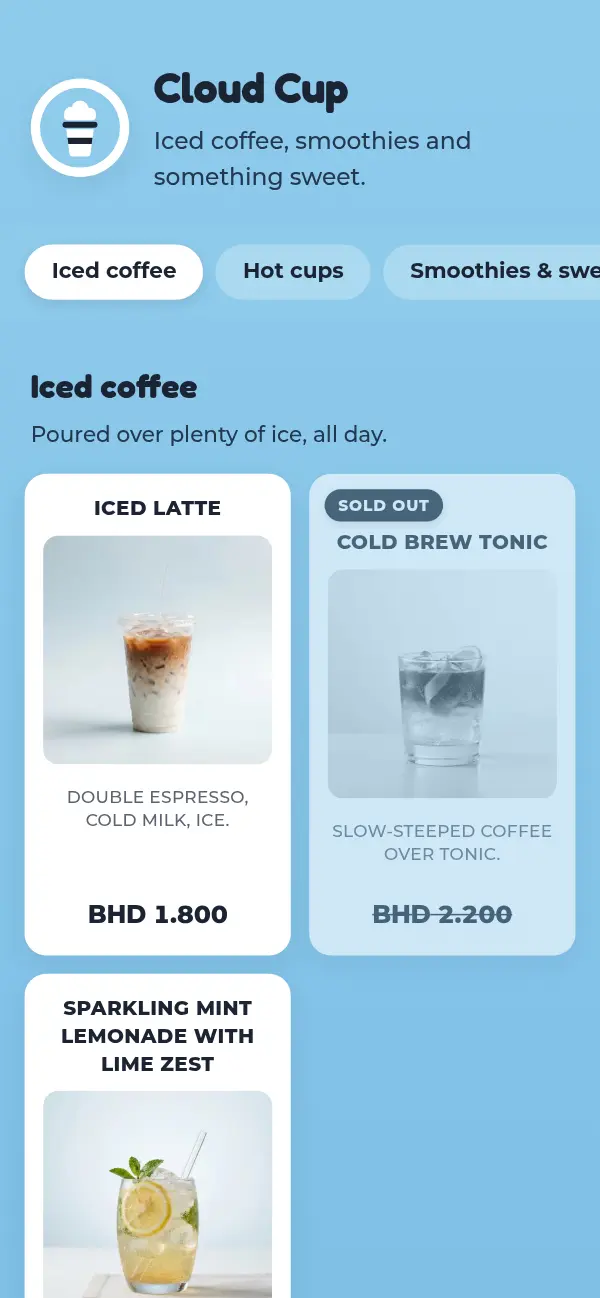
Your menu in two languages
- 1
Turn on Arabic and English
Pick one language or both when you set up your venue, and which one your menu opens in.
- 2
Write each dish in both
Every name and description has an Arabic and an English field. The price is entered once.
- 3
Go live at your own link
craftel.app/m/yourcafe serves both languages. There's one QR code, not one per language.
- 4
Guests switch with one tap
The whole page turns right to left in Arabic and back again in English.
One menu beats two
Two printed menus, or two PDFs, drift apart: a price changes on the English one and not the Arabic, a new dish is added to one and forgotten on the other. Guests notice, and staff end up explaining which is right.
With one bilingual menu, prices and photos are entered once and shared by both languages. Mark a dish sold out and it's gone in Arabic and English at the same moment.
Arabic that reads like Arabic
Arabic is easy to get wrong on a menu: text that runs right to left inside a layout that still runs left to right, prices on the wrong side, and whatever font the phone falls back to. On Craftel the whole page turns right to left when a guest picks Arabic, and every design comes with an Arabic typeface chosen for it, so it looks as considered as the English.
Writing your menu in two languages
Craftel doesn't translate for you: you, or someone you trust, write each language. A few things make it easier:
- Keep dish names short in both languages, and let the description carry the detail.
- Don't translate drink names word for word. A Spanish latte can stay سبانش لاتيه, the way your guests order it.
- Write the Arabic the way your guests read it, not as a dictionary would.
- Publish before every translation is ready: a dish without an English name shows its Arabic name instead of an empty line, and the other way round.
Why bilingual venues pick Craftel
Both languages, as equals
Neither one is squeezed under the other in small print. Each guest reads a full menu in their language.
Prices entered once
Both languages always show the same price, in your currency, with the right decimals.
One QR code
Print one code per table. Guests choose their language after they scan.
Proper Arabic type
Each design has its own Arabic typeface, set right to left, never a fallback font.
What it costs
Free for the first 14 days, with every design and no card needed. After that it's $12 a month or $99 a year for one venue's menu, with your link, QR codes and table tents included. Arabic and English are both included; there's no charge for the second language.
See pricingQuestions about Arabic and English menus
Does Craftel translate my menu?
No. You write each language yourself, or with help from someone you trust, so every dish name says what you mean.
Can my menu be in Arabic only, or English only?
Yes. Choose one language or both. If you serve one, guests simply don't see a language switch.
Do I need a different QR code for each language?
No. There's one link and one QR code. Guests switch language on the menu itself.
What if I haven't translated every dish yet?
Publish anyway. A dish missing its English name shows the Arabic one instead, and the other way round, until you fill it in.
Can I add other languages?
Menus are in Arabic and English today.