

QR code menu for your café or restaurant
Guests point their camera at the table and your menu opens: designed, in their language, with today's prices. Choose a template, add your dishes, and print the QR code once. It keeps working however often the menu changes.
14 days free. QR codes and table tents included.
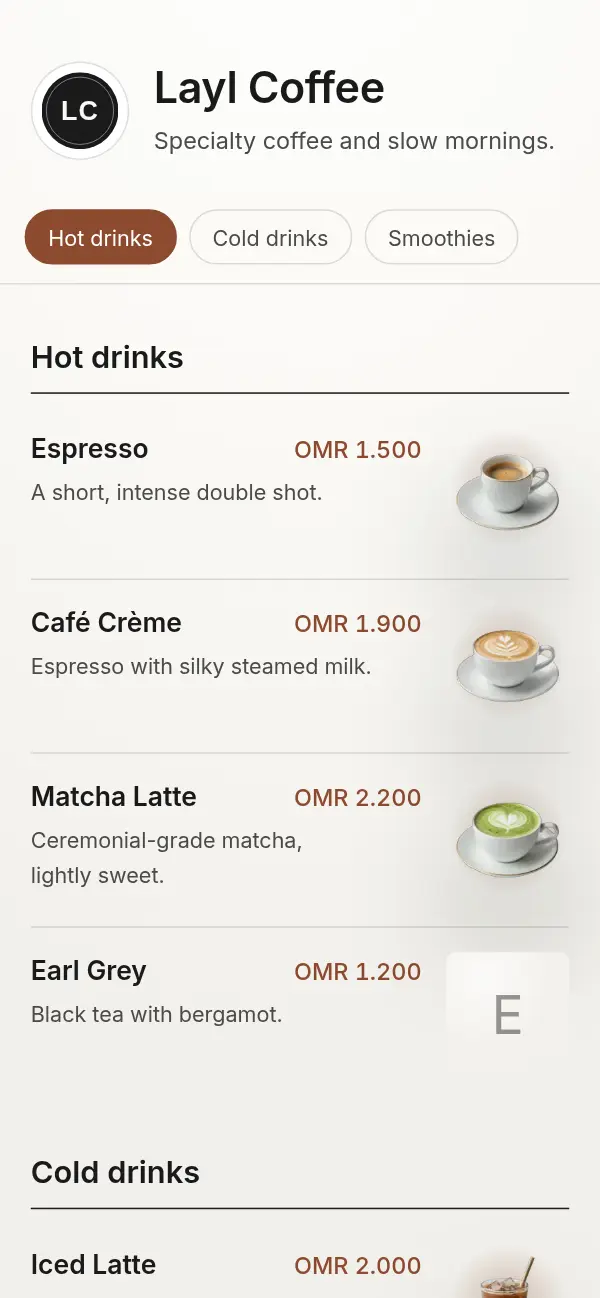
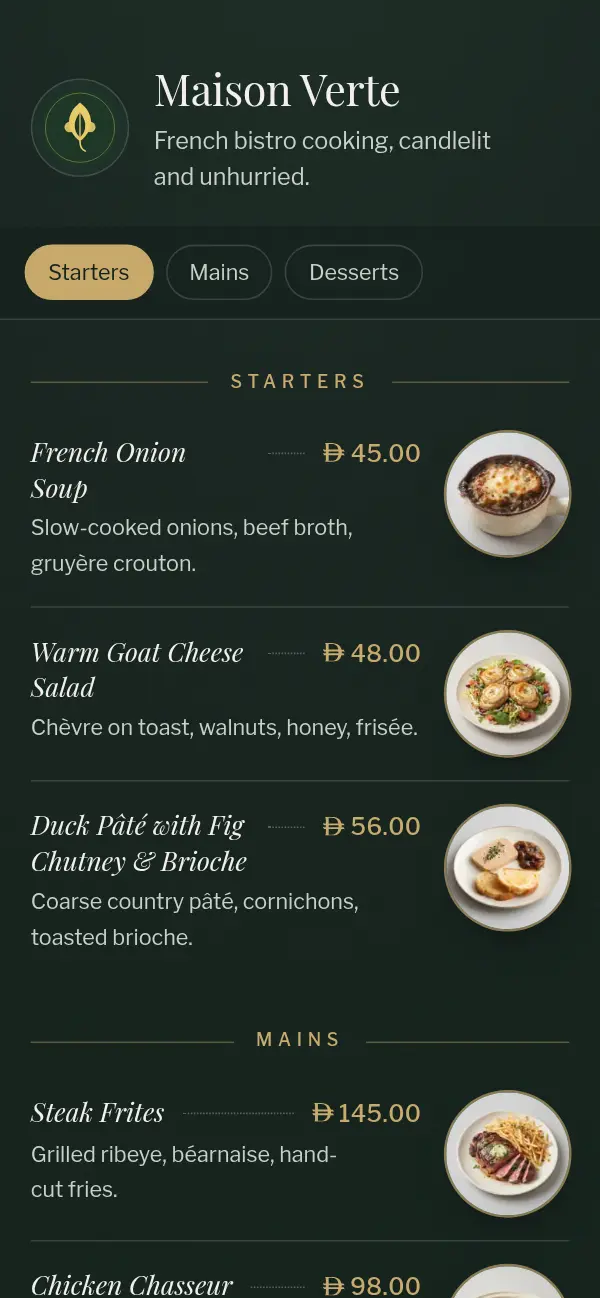
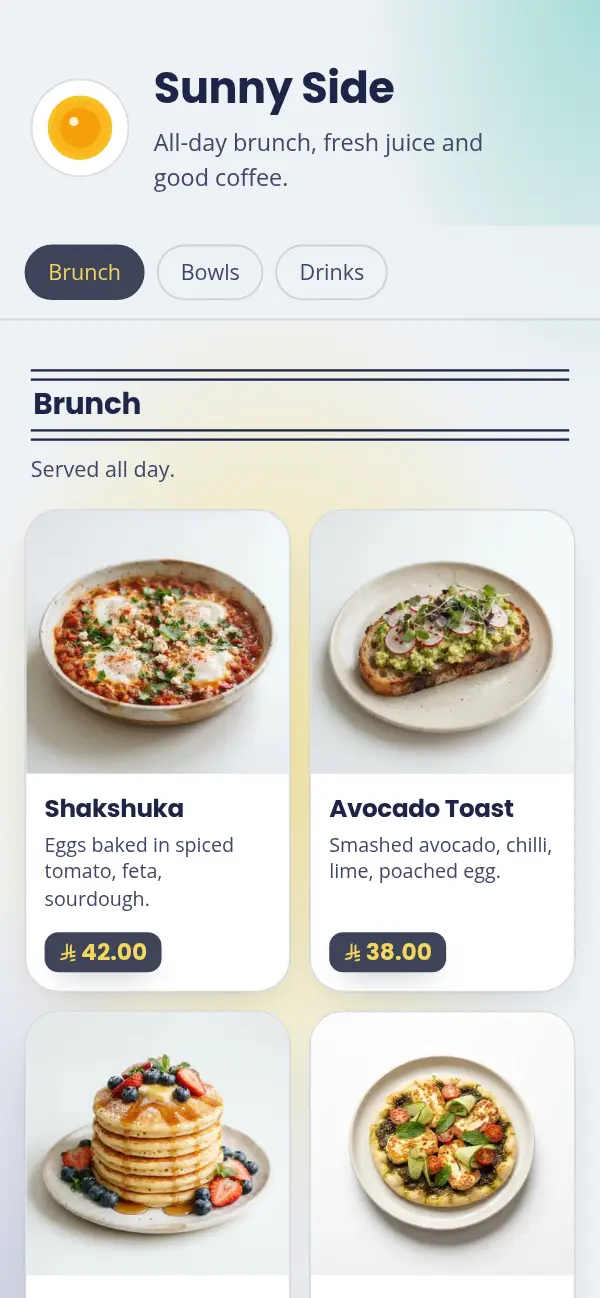
How a Craftel QR code menu works
- 1
Choose a template
Pick the look that suits your venue. Your dishes and prices take its shape as you add them.
- 2
Go live at your own link
Your menu gets its own address, like yourcafe.craftel.app. That's what the QR code opens.
- 3
Download your QR code
PNG or SVG for your own designs, an A6 card, or an A4 table tent that folds to stand on the table. Add a table number if you like.
- 4
Guests scan with their camera
No app and no sign-up. The menu opens in a second, in Arabic or English, and they switch with one tap.
Print it once, change the menu any time
A QR code only holds an address. Many QR menus point at a PDF, so every new price means a new file, and sometimes a new code on every table.
Craftel's QR code points at your menu's own link, and the link stays the same. When you change a price, add a special or mark something sold out, the tables don't change at all. The next guest who scans simply sees the new menu.
Where to put your QR codes
Put a code wherever someone decides what to order, at a height and angle where a phone can reach it easily:
- On each table, as a standing table tent or a small card
- At the counter or by the queue, for takeaway orders
- At the entrance or in the window, so passers-by can look before they come in
- On receipts, takeaway bags and delivery boxes, for the next order
Getting the print right
Print the code at least 3 cm wide on a table, and larger on a wall or window that people scan from further away. Keep it dark on a light background, with a clear margin around it, and avoid glossy lamination that reflects overhead lights.
Before you print a whole batch, scan the proof with two or three different phones, in the light your venue actually has. Add a short line next to the code, such as "Scan for the menu", so guests know what it's for.
What your guests see
The menu opens straight away, sized for reading on a phone at a table, even on slow mobile data. There's nothing to pinch or zoom. Guests who read Arabic see a menu that reads right to left in a proper Arabic typeface, and guests who don't can switch to English.
Why owners use Craftel for their QR menu
The code never changes
It opens your link, not a file, so the tables stay as they are whenever the menu changes.
Print-ready files included
A6 cards and A4 table tents with your venue's name, plus PNG and SVG for your own designs.
A designed menu behind the code
Guests don't land on a scanned PDF. They get a menu made for phones, in a template chosen for venues like yours.
Table numbers when you want them
Add a table number to any code, and it's printed on the card or tent too.
What it costs
Free for the first 14 days, with every template, your own link and all the QR codes you need. After that it's $12 a month or $99 a year.
See pricingQuestions about QR code menus
Do guests need an app to scan the QR code?
No. Every recent iPhone and Android phone scans QR codes with the built-in camera, and the menu opens in the browser.
Will I need a new QR code when my menu changes?
No. The code opens your menu's link, which never changes. Edit the menu as often as you like and the same code shows the new version.
Can I use my own design for the table card?
Yes. Download the code as SVG (sharp at any size) or PNG and put it into your own artwork. Or use our ready-made A6 card or A4 table tent.
What happens to the QR codes if I stop paying?
After your plan ends the menu goes offline, so the code no longer opens it. We keep your menu for 30 days, and if you come back in that time the same link and codes work again.
Can I have a QR code for each table?
Yes. Add a table number when you download, and the number is printed on the card or tent as well.
I already have a menu online. Can I just get a QR code for it?
Yes, and it's free: our free menu QR code tool makes a PNG or SVG code for any menu link, a website or a PDF, with no account.