

Café menu maker for coffee shops and cafés
Choose a template made for cafés, add your drinks and pastries, and your menu is live at your own link with a QR code for every table. It works for a specialty bar, a brunch spot or a neighbourhood coffee shop.
14 days free. No card needed.
Your café menu, from template to table
- 1
Choose a café template
Pick the one that feels like your café. You can switch later without losing anything.
- 2
Add what you serve
Espresso drinks, filter, tea, cold drinks, breakfast, pastries. Most cafés need four to seven sections.
- 3
Go live at your own link
Your café gets its own address, like yourcafe.craftel.app, for your Instagram bio and Google Maps listing.
- 4
Put a QR code on the counter and tables
A table tent for each table, a card by the till for the takeaway queue.
Templates made for cafés
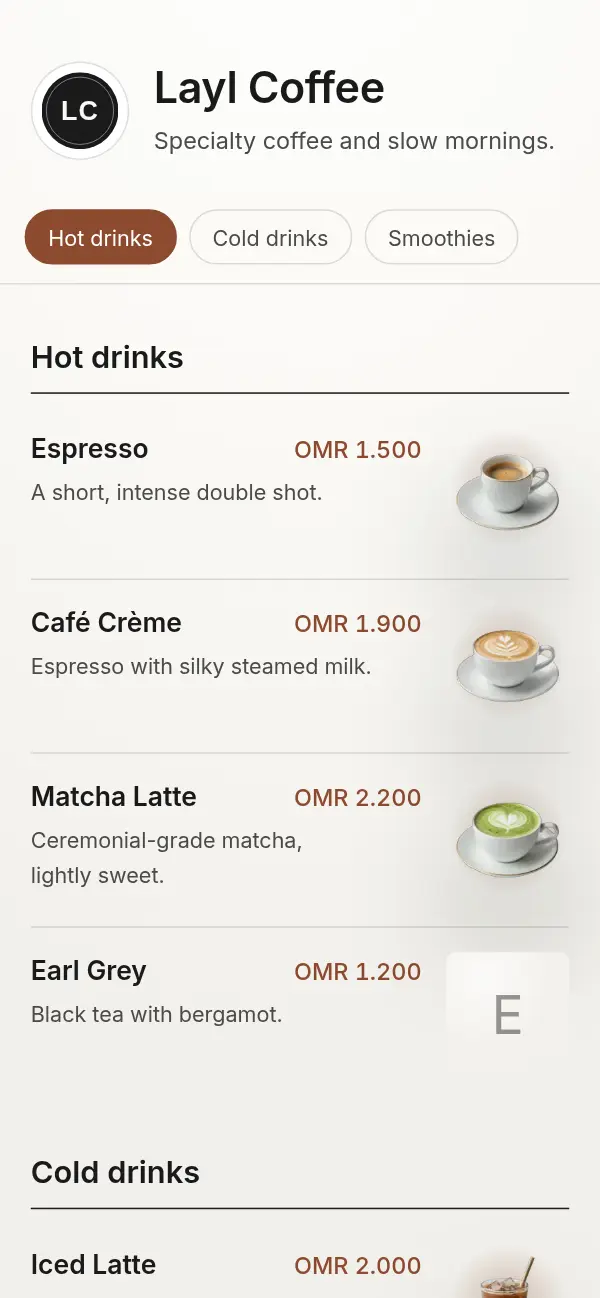
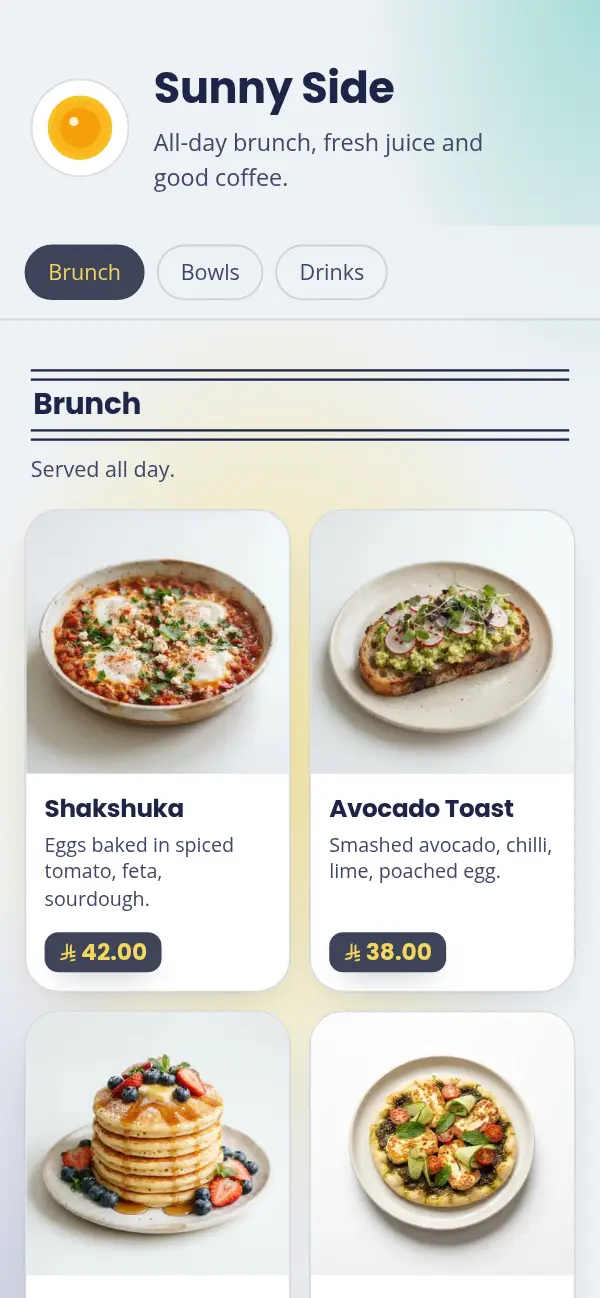
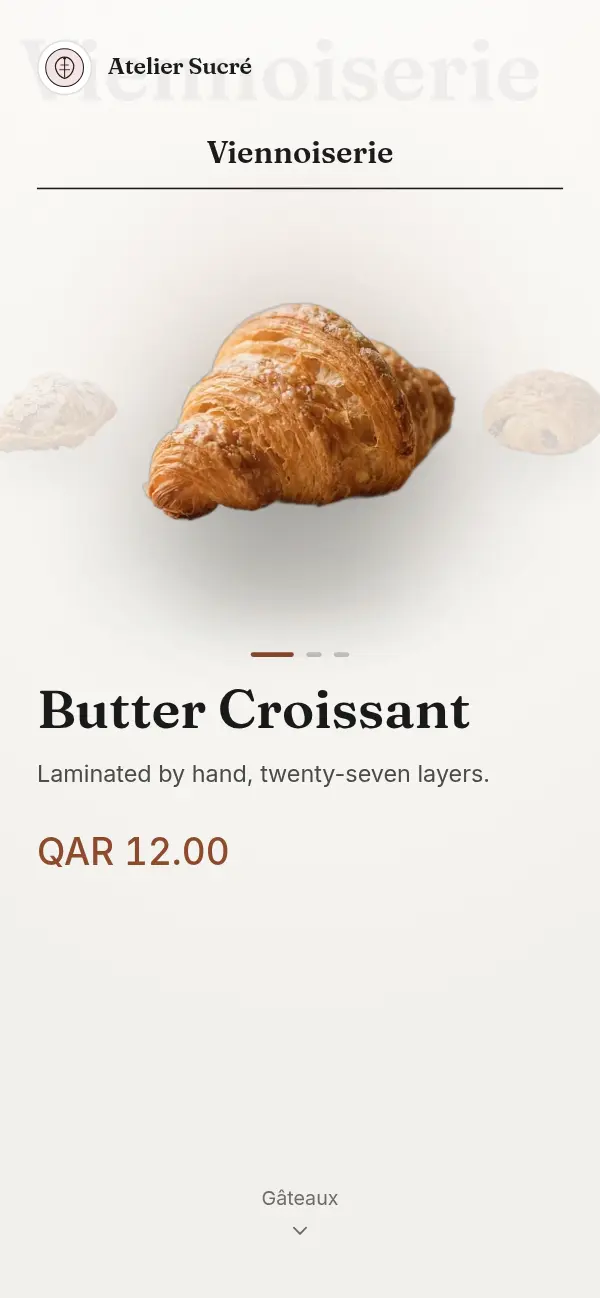
Quiet paper for a specialty bar, soft pastels for a brunch spot. Each one is shown with the sample café it was designed for.
Pastel Morning
Navy on a mint and butter wash, bold headings, badge prices. Made for brunch.
Minimal Paper
Warm paper, near-black ink and fine rules. Quiet, and quick to scan.
What a café menu needs
Café guests often decide standing up, in a queue, in a few seconds. A café menu works best when it's short and grouped the way people order: coffee first, then what goes with it.
- Espresso drinks in size order, with the price on each line
- Milk options and extra shots in the section's description, such as "Oat or almond milk +0.500"
- Filter and single-origin coffee with a few words on taste, if your guests care
- Cold drinks and non-coffee drinks for those who came with a coffee drinker
- Breakfast, sandwiches and pastries, with photos for the ones people ask about
A menu that changes through the day
Hide the breakfast section after lunch and bring it back the next morning. Mark the almond croissants sold out when the last one goes, instead of apologising at the counter. Add a seasonal drink for a month, then hide it. Every change is live as soon as you save, on every table and on your link.
For the takeaway queue as well as the tables
Many café orders are placed at the counter. Put a QR card by the queue and in the window so people can read the menu while they wait, and link the same menu from your Instagram bio so regulars can check the specials before they come in.
Why café owners choose Craftel
Made for cafés
Templates designed around real cafés, not a generic restaurant layout squeezed onto a coffee list.
Arabic and English, as equals
Write each drink in both. Guests switch with one tap, and Arabic reads right to left in a proper Arabic typeface.
No reprinting
New prices, a new seasonal drink or a sold-out pastry are changed on your phone in a minute.
Looks finished without photos
A coffee list doesn't need a photo for every cup. Every template looks right with or without them.
What it costs
Free for the first 14 days, with every template and no card needed. After that it's $12 a month or $99 a year for your café's menu, with your link, QR codes and table tents included.
See pricingQuestions about café menus
How much does a café menu on Craftel cost?
Nothing for the first 14 days, and no card is needed to start. After that it's $12 a month or $99 a year, with every template included.
How do I show milk options and sizes?
Write them in the section's description (for example "Oat milk +0.500") or as separate lines if the price changes a lot. Guests read it once for the whole section.
Can I use one menu for dine-in and takeaway?
Yes. It's the same link. Put a QR code on the tables and another by the counter; both open the same menu.
Can my café menu be in Arabic and English?
Yes, in either or both. You write each item in the languages you choose, and guests switch with one tap.
Can I print my café menu?
Craftel makes the menu guests open on their phones. What you print is the QR code or a table tent that opens it, as PNG, SVG or a print-ready PDF.