

Restaurant menu maker with QR codes for every table
Choose a template made for restaurants, add your dishes from starters to desserts, and your menu is live at your own link, with a numbered QR code for every table. Bistro, grill, family restaurant or fine dining.
14 days free. No card needed.
Your restaurant menu, from template to table
- 1
Choose a restaurant template
Pick the look that matches your dining room. Switch any time; your dishes stay.
- 2
Add your courses and dishes
Starters, mains, grills, sides, desserts and drinks, with descriptions and photos for your signatures.
- 3
Go live at your own link
Your restaurant gets its own address, like yourrestaurant.craftel.app, for Google Maps, Instagram and delivery profiles.
- 4
Number your tables
Download a table tent for each table with its number printed on it. Guests scan when they sit down.
Templates made for restaurants
A candle-lit bistro, a noodle bar with chalkboard cards, a modern dining room in emerald. Each shown with the sample restaurant it was designed for.
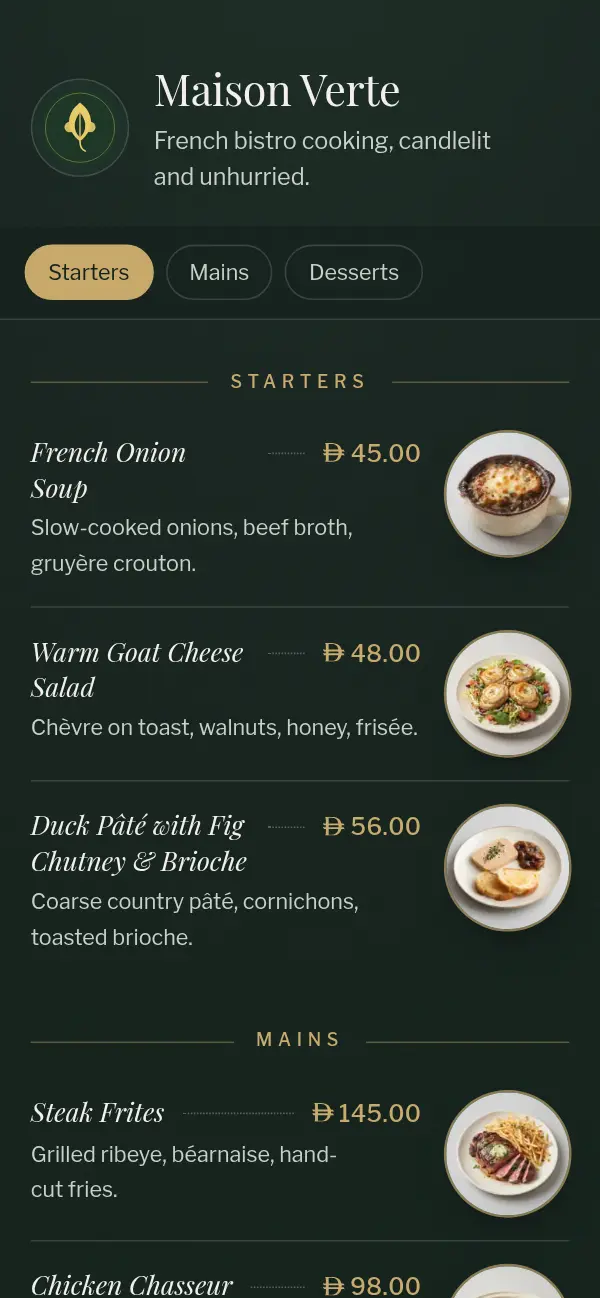
Bistro Night
Forest green and champagne gold, italic serif dishes, a printed-card frame.
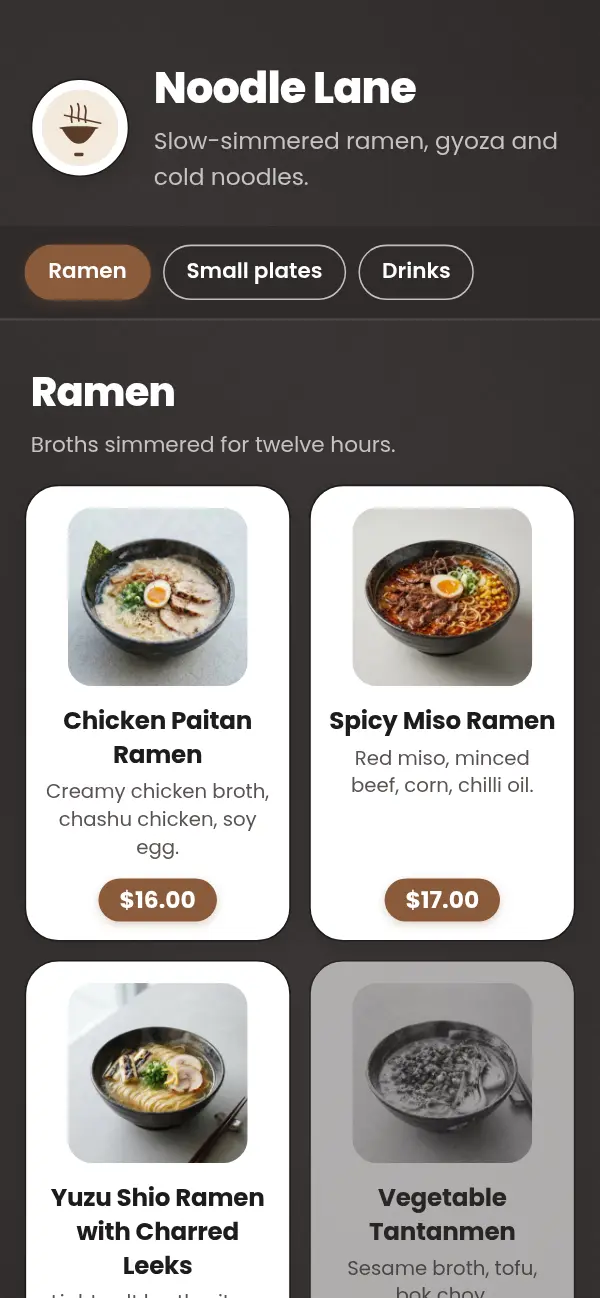
Chalkboard Cards
White cards on a charcoal board, heavy headings, pill prices.
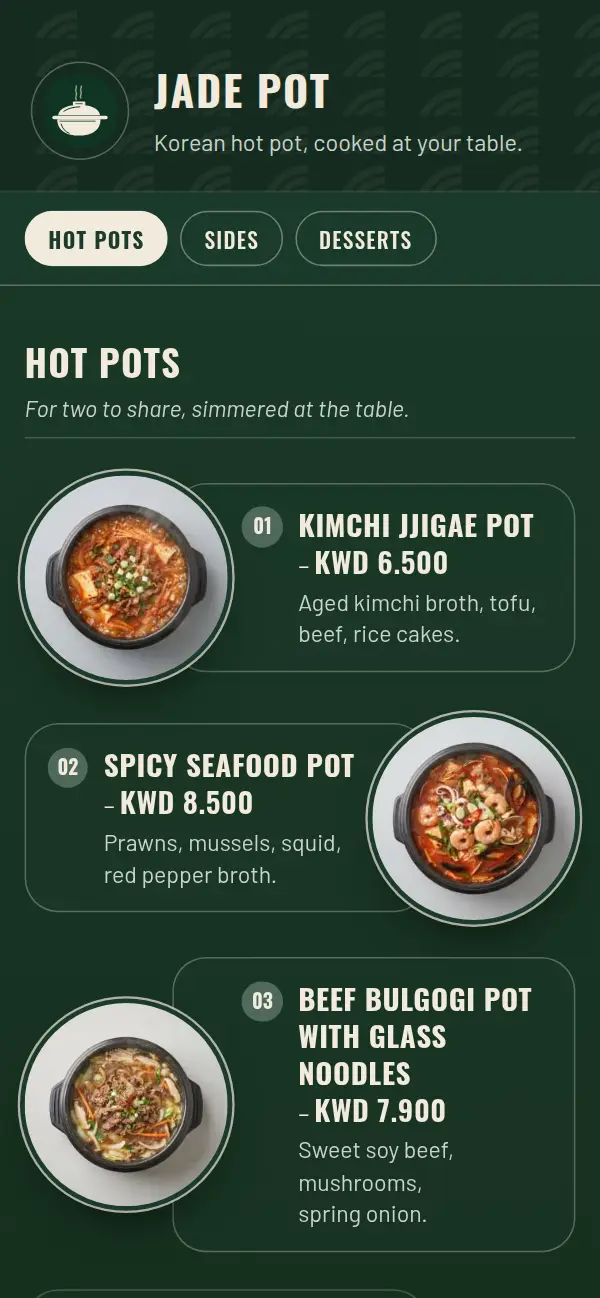
Emerald Zigzag
Bottle green and cream, tall uppercase titles, numbered dishes that swap sides.
What a restaurant menu needs
Restaurant guests take longer to choose than café guests, and they read more. Help them with structure:
- Sections in the order a meal happens: starters, mains, sides, desserts, drinks
- A description for every main: what's in it, how it's cooked, what it comes with
- Photos for your signature dishes and anything guests can't picture from the name
- Notes guests ask about, such as spice, nuts or vegetarian, written in the description
- Sharing platters and set menus in their own section, so they're easy to find
During service
When the lamb runs out at nine, mark it sold out from your phone and the next table won't order it. Hide the lunch set after three. Add tonight's fish as a special and remove it tomorrow. Nothing has to be reprinted, and waiters don't have to remember what's off.
Long menus that stay easy to read
A restaurant menu can have a hundred dishes. The templates keep it readable on a phone, with clear section headings and photos that load only as guests scroll, so the menu opens quickly even on mobile data.
Why restaurant owners choose Craftel
Designed for dining rooms
Templates with the weight a restaurant needs: considered type, framed cards, photos that do the dishes justice.
Sold out, in a second
Mark a dish unavailable mid-service and every table sees it at once.
Arabic and English, as equals
Every dish in both languages, with Arabic set right to left in a proper Arabic typeface.
One link everywhere
The same menu on the tables, on Google Maps and in your delivery-app profiles.
What it costs
Free for the first 14 days, with every template and no card needed. After that it's $12 a month or $99 a year for your restaurant's menu, with your link, QR codes and table tents included.
See pricingQuestions about restaurant menus
Is there a limit on how many dishes I can add?
No practical limit. Menus stay fast with a hundred dishes and photos, because images load as guests scroll.
Can I have a QR code for each table?
Yes. Add a table number when you download, and it's printed on the table tent or card.
How do I show allergens or spice levels?
Write them in the dish's description, for example "Contains nuts" or "Medium spicy". Keep the wording the same across the menu so guests can scan for it.
Can guests order from the menu?
No. Craftel is the menu guests read; they order with your staff as usual.
Can I change the menu during service?
Yes. Edit from your phone and the change is live as soon as you save, on every table's QR code and on your link.