

A digital menu your guests open on their phone
Not a photo of your paper menu and not a PDF to pinch and zoom. A menu designed for the phone, at your own link, that you keep up to date in a minute. Choose a template and your dishes take its shape.
14 days free. No card needed.
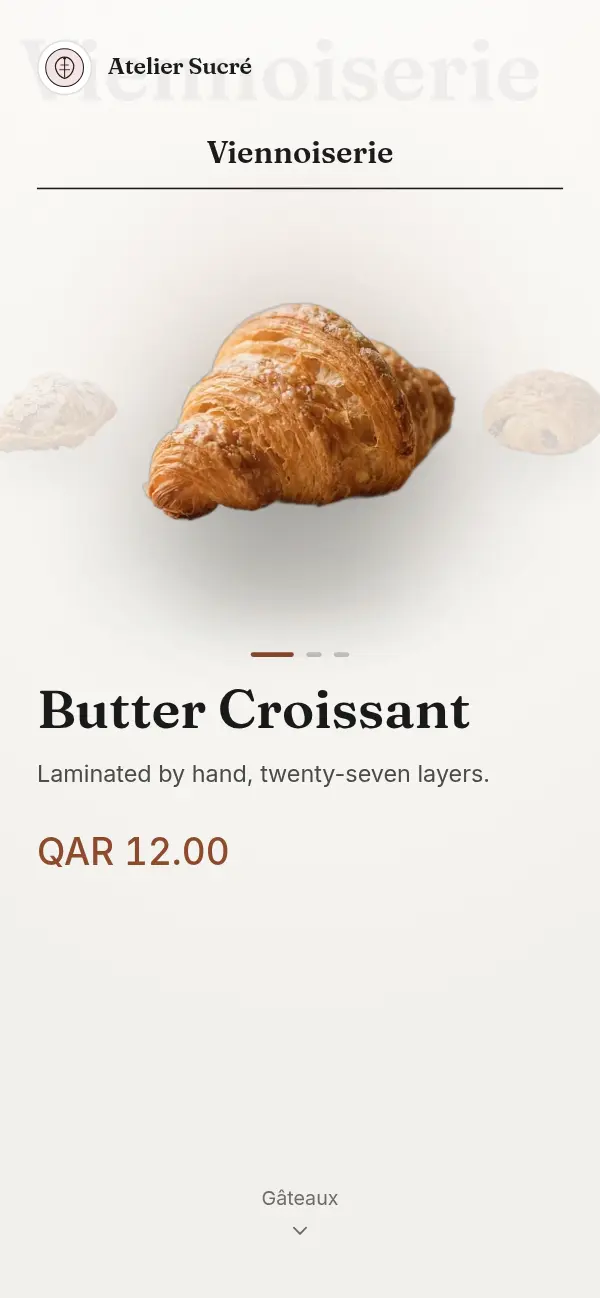
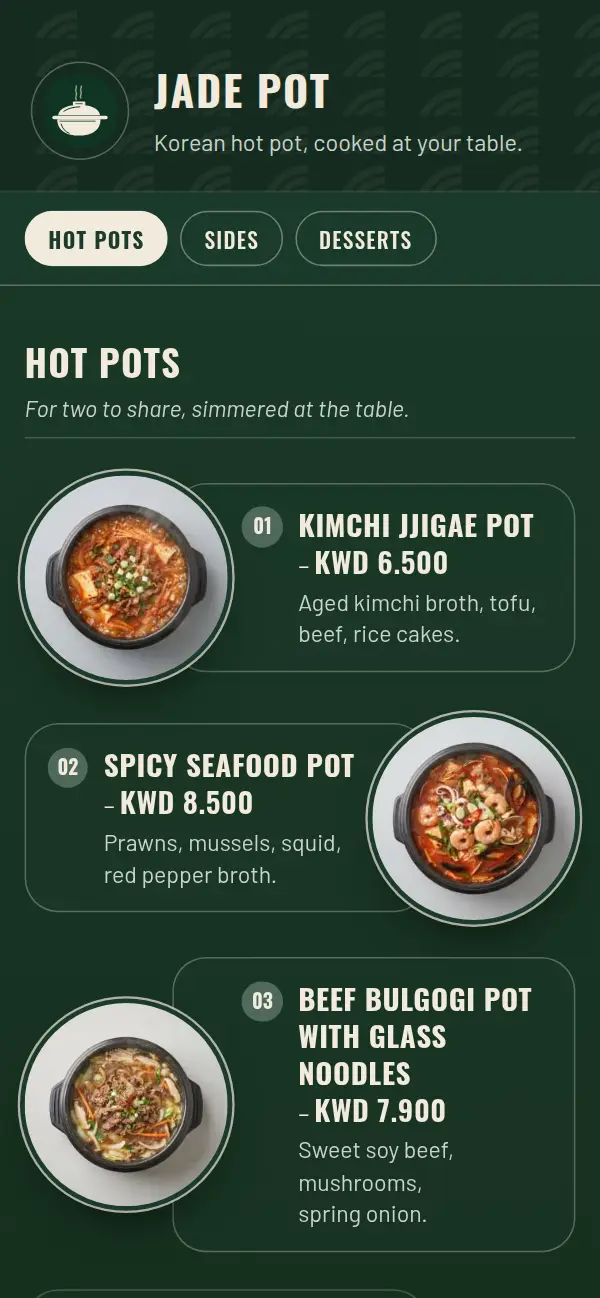
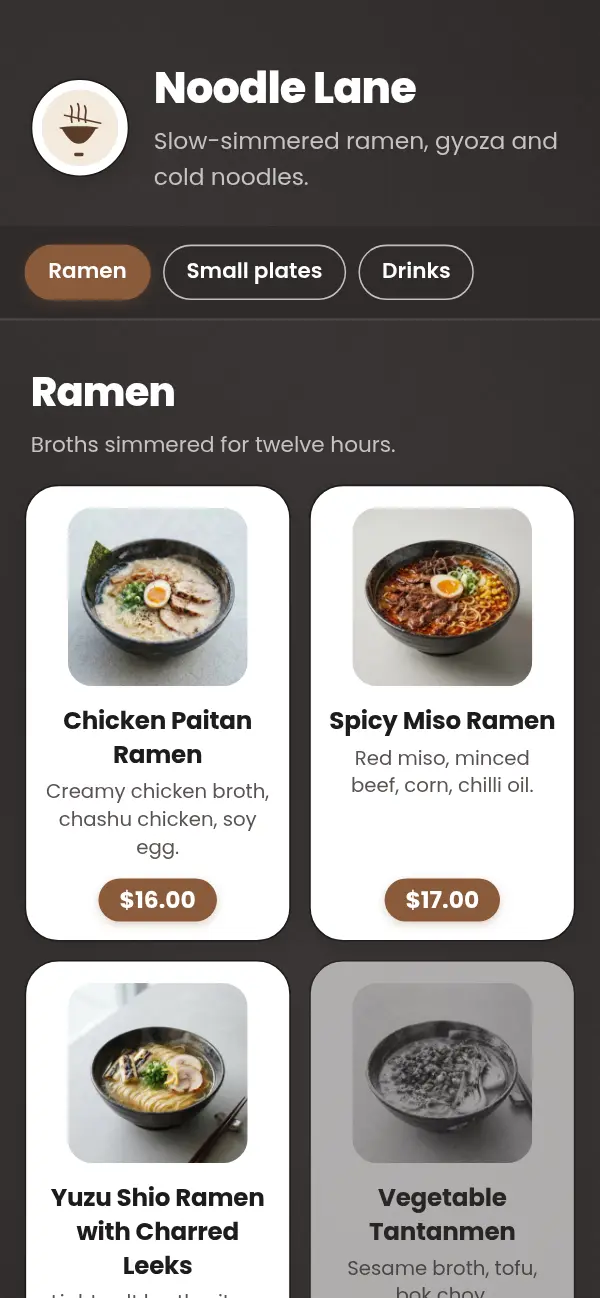
Your digital menu, in four steps
- 1
Choose a template
Designed for real kinds of venue, with type and spacing made for small screens.
- 2
Add your dishes
Sections, names, descriptions, prices and photos. Photos are optional; every template looks finished without them.
- 3
Go live at your own link
yourcafe.craftel.app opens on any phone, from a QR code, your Instagram bio or a WhatsApp message.
- 4
Keep it current
Change a price, hide a section or mark a dish sold out. It's live as soon as you save.
Why not just a PDF?
A PDF is a printed page squeezed onto a phone. Guests pinch and scroll sideways to read it, it can be slow to download on mobile data, and every change means designing and uploading a new file.
A digital menu is built for the screen it's read on. Text is the right size from the start, sections are easy to jump between, and photos load as guests scroll. Because it's a web page, you can edit it at any time.
What a good digital menu does
Beyond looking right, a digital menu should save you work and help guests choose:
- Mark a dish sold out for the day, without deleting it
- Hide a whole section, such as breakfast after noon or a seasonal special out of season
- Show each dish in Arabic, English or both, with a one-tap switch
- Show prices in your currency with the right decimals, and a symbol or code where you want it
- Carry your logo, a cover photo and your Instagram, WhatsApp and location links
Made for the Gulf
Craftel was built with Gulf cafés and restaurants in mind. Arabic is a first language here, not a translation: it reads right to left in a typeface chosen for each template. The Omani rial, Kuwaiti dinar and Bahraini dinar show three decimals, the Saudi riyal can use its new sign, and the dirham and Qatari riyal are written as your guests expect. It works just as well anywhere else, in any currency.
Why owners move to a Craftel digital menu
Fast on mobile data
Menus open quickly even with a hundred dishes and photos, because images are sized for each phone.
Designed, with or without photos
Every template looks finished without a single photo, and better with the ones you add.
No reprinting
Prices, specials and sold-out items change on the menu itself, not on paper.
One link everywhere
The same menu on the table, on Instagram, on Google Maps and in WhatsApp replies.
What it costs
Free for the first 14 days, with every template and no card needed. After that it's $12 a month or $99 a year, with your link and QR codes included.
See pricingQuestions about digital menus
What is a digital menu?
A menu guests open on their own phone, usually by scanning a QR code at the table or tapping a link. Unlike a PDF, it's made for small screens and can be updated instantly.
Is a digital menu the same as a QR code menu?
Nearly. The digital menu is the menu itself; the QR code is one way to open it. With Craftel you get both, and the same link also works from Instagram, WhatsApp or Google Maps.
Can I add photos of my dishes?
Yes, for as many dishes as you like. They're resized automatically so the menu stays fast. Photos are optional; every template looks good without them.
Can I mark something as sold out?
Yes. Mark a dish sold out and it stays on the menu, shown as unavailable, until you switch it back.
Does the menu work in Arabic and English?
Yes, in either or both. You write each dish in the languages you choose, and guests switch with one tap.