

A café QR menu built for coffee drinks
Sizes, hot or iced, oat milk, this week's single origin: a coffee list has more choices per line than any other menu. Choose a template, add your drinks with their sizes, and put the QR code where the queue forms.
14 days free. No card needed.
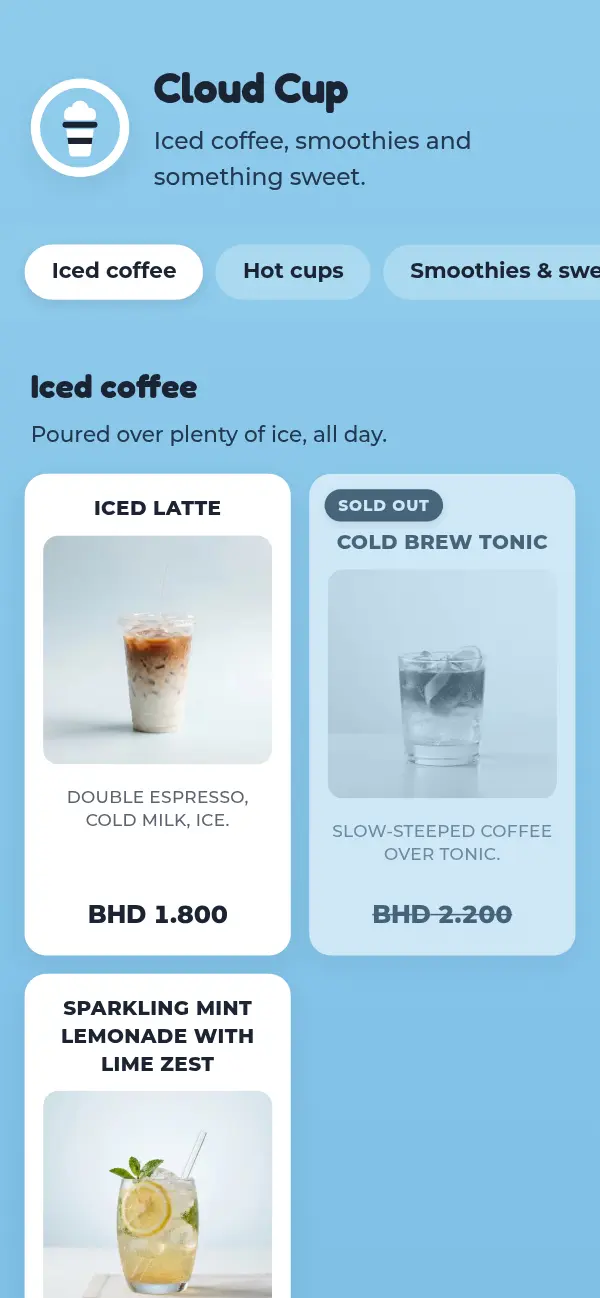
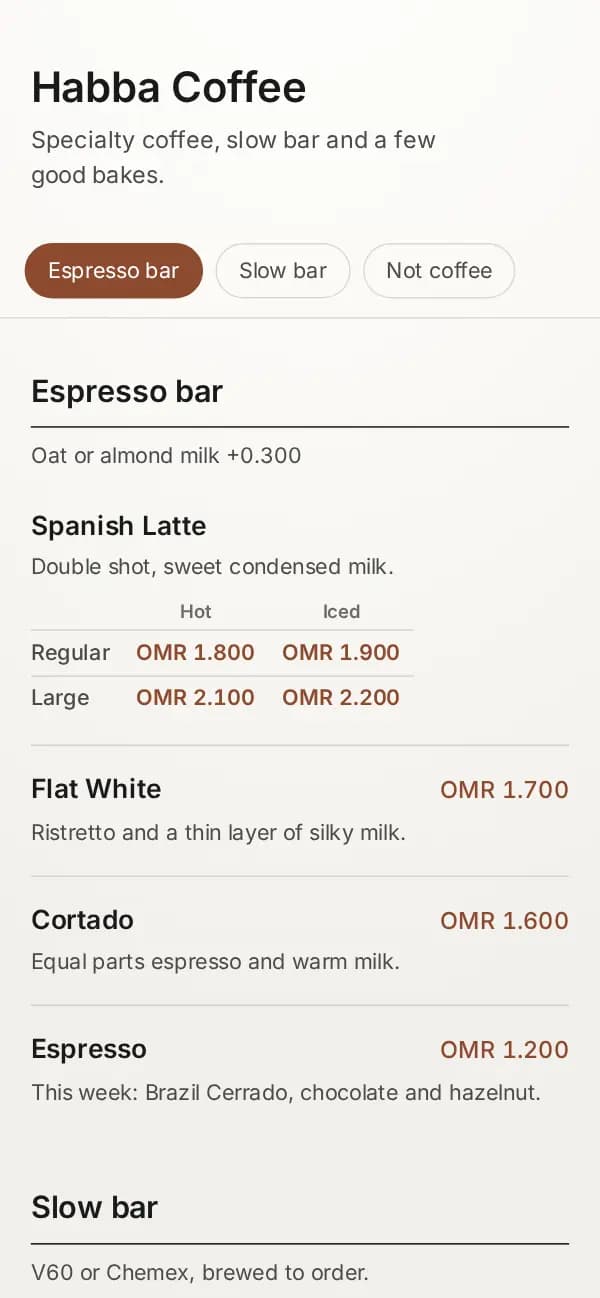
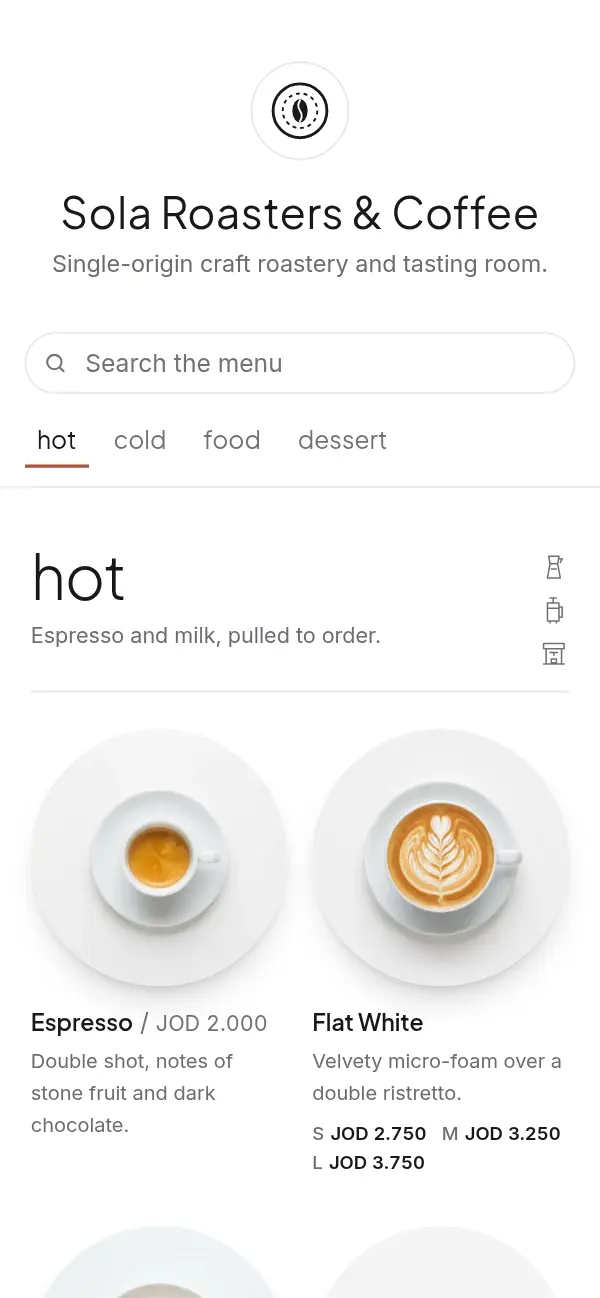
Your coffee list on a QR code
- 1
Choose a template
A quiet paper look for a specialty bar, sky blue for an iced-coffee spot, pure white for a roastery.
- 2
Add drinks with their sizes
One line per drink, with sizes and hot or iced as options. Each combination gets its own price.
- 3
Go live at your own link
Your coffee shop gets an address like craftel.app/m/yourcafe, the one your QR codes open.
- 4
Print a code for the counter
A card by the till for the queue, a table tent on each table, a sticker in the window.
Sizes, hot or iced, and milk, without a cluttered list
On a paper menu, a latte in three sizes, hot or iced, becomes six prices squeezed into a corner. On a Craftel menu it's one line: the guest sees the drink, then a small table of sizes and prices underneath, or a short "from" price that opens the full list.
Milk swaps and extra shots usually cost the same for every drink, so write them once in the section's description ("Oat or almond milk +0.300") instead of on every line.
This week's beans, and the ones that ran out
Single origins come and go. Add the new Ethiopian to the slow bar with a few words on taste, and mark the Colombian sold out when the bag is empty: it stays on the menu, greyed out, until you bring it back. Seasonal drinks work the same way: show them for a month, hide them, and they're ready for next year.
Where the QR code goes in a coffee shop
In a café most decisions happen standing up, so put the code where people wait, not only where they sit:
- A card by the till, facing the queue, so people choose before they reach the counter
- The window or the door, for people deciding whether to come in
- A table tent on each table, for the second coffee
- Your Instagram bio and Google Maps listing, with the same link
Why coffee shops use Craftel for their QR menu
Built for drink options
Sizes and hot or iced as options with a price for each, not a wall of numbers.
No reprinting for a new bean
Change the slow bar from your phone. The code on the counter stays the same.
Arabic and English, as equals
Every drink in both languages, guests switch with one tap, Arabic in a proper Arabic typeface.
Looks finished without photos
A coffee list doesn't need a photo per cup. Every café template reads well with text alone.
What it costs
Free for the first 14 days, with every template and no card needed. After that it's $12 a month or $99 a year for your café's menu, with your link and QR codes included.
See pricingQuestions about café QR menus
How do I show sizes and hot or iced prices?
Add them as options on the drink: up to two groups, such as Size (Regular, Large) and Style (Hot, Iced), with a price for each combination. Guests see a small price table or a "from" price that opens the full list.
Can I mark a drink or a single size as sold out?
Yes. Mark the whole drink sold out, or only one combination, such as the large iced version when you run out of cups.
Does the QR menu take orders?
No. It shows your drinks and prices; guests order at the counter or with staff as they do today.
Can the same menu work for takeaway and the tables?
Yes. It's one link. Put a code by the till and another on the tables; both open the same menu.
Is a café QR menu different from a coffee shop menu maker?
Same product, different angle. This page is about drinks and QR codes; our café page covers the whole café menu, from breakfast to pastries, and the café templates.