

Set up a QR menu for your restaurant, fast
No designer, no developer, no app. Choose a template, type your dishes, verify your email, print the code. The only slow part is typing the menu, so here's what to have ready before you start.
14 days free. No card needed.
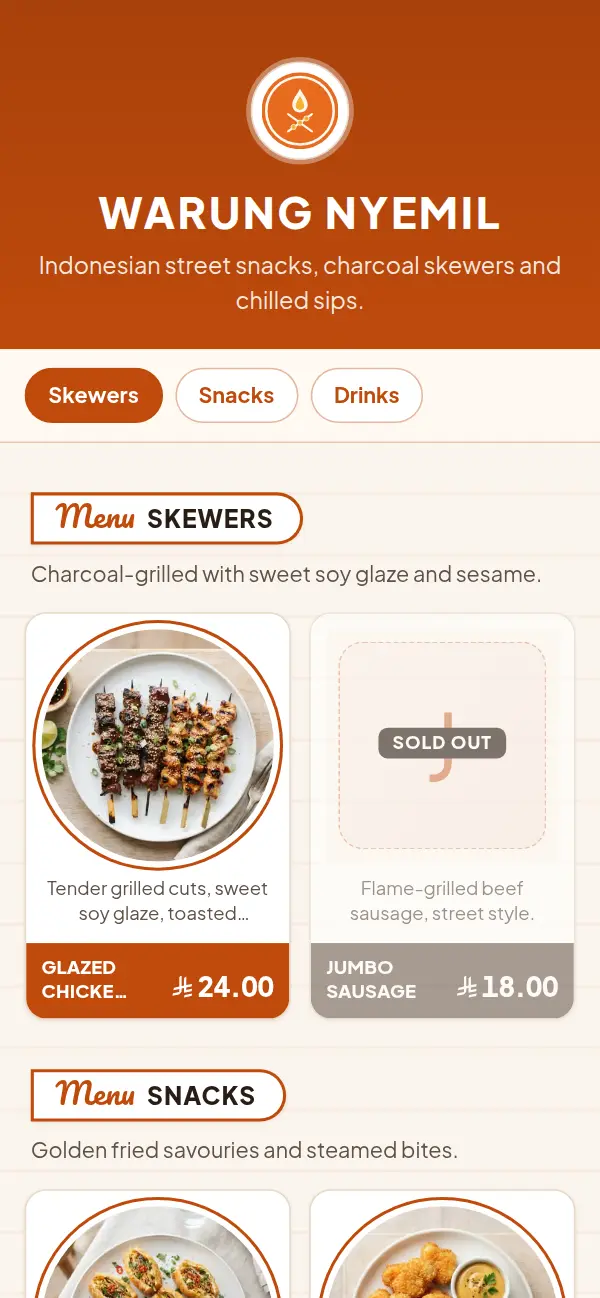
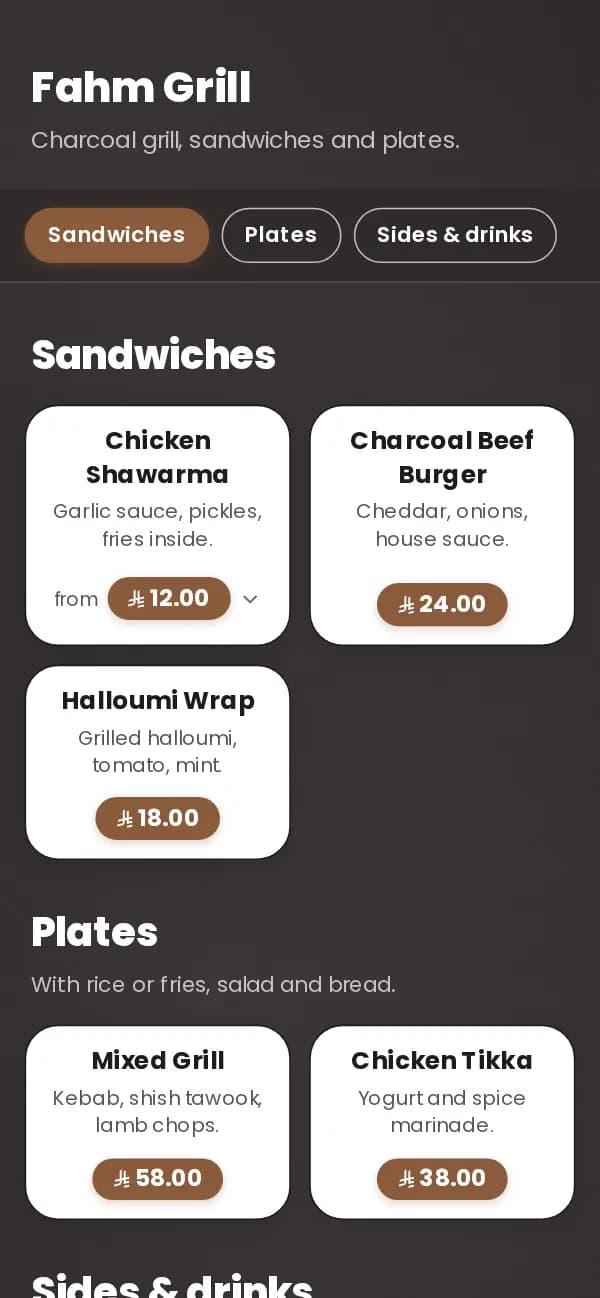
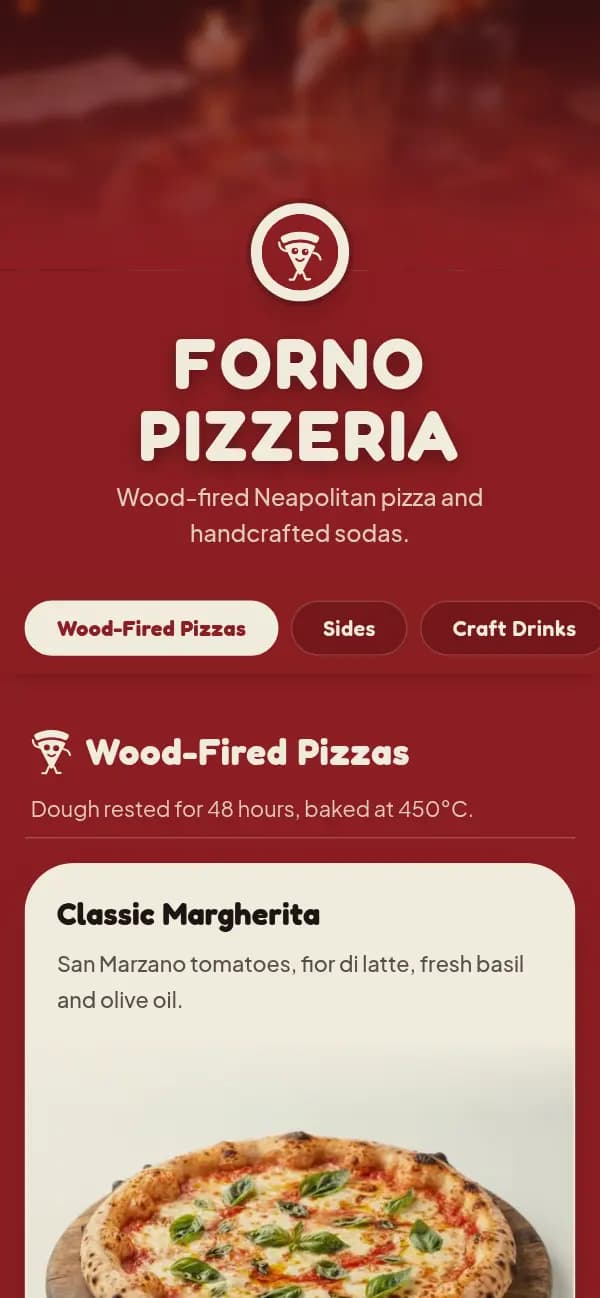
Four steps from sign-up to the table
- 1
Sign up and pick your link
Your restaurant's name, its link (craftel.app/m/yourname), languages and currency.
- 2
Choose a template
Pick the look. Your dishes take its shape as you add them, and you can switch later.
- 3
Type your sections and dishes
Names, prices and a line of description. Sizes as options. Photos can wait.
- 4
Verify your email and print
Once your email is verified the menu is public. Download a QR code or table tents with table numbers.
What to have ready before you start
Setting up the account and choosing a template takes a few minutes. Typing the menu takes the longest, so gather these first:
- Your current menu or price list, in front of you (a photo of the paper menu is fine)
- Section names in the order guests should read them
- Prices, including sizes ("Regular / Large") and anything sold in more than one way
- Dish names in Arabic and English, if you want both
- Your logo, as a PNG or JPG; a cover photo of the room or a signature dish if you have one
- Your Instagram, WhatsApp number and Google Maps link for the menu's footer
How to make QR menus for your restaurant, step by step
Sign up with your email, give your restaurant its name and link, and choose a template from the ones made for restaurants. Add your sections in order, then the dishes in each. Photos are optional and can be added later from your phone, so don't let them hold you up.
Verify your email from the message we send: until then your menu is a preview only you can see. Then download your QR code from the dashboard. Get a PNG or SVG for your own artwork, or a print-ready card or A4 table tent with the table number printed on it.
Before you print a stack, scan one copy with an iPhone and an Android phone, at the distance a seated guest would. Then put the code where guests look first: the middle of the table, by the entrance, and on the counter if people order there.
What you don't need
A POS system, a tablet per table, a website, an app for guests or a designer. Craftel is the menu only: guests scan, read and order with your staff as they do today. When a price changes, edit it on your phone; the printed codes keep working.
Why restaurants choose Craftel for a quick QR menu
Design already done
No layout work. A template made for restaurants that looks finished with or without photos.
Print once
The code opens your link, not a file. Change the menu as often as you like.
Table numbers included
Print-ready table tents with the number on each, as PDF.
Arabic and English, as equals
Both languages on one menu; guests switch with one tap.
What it costs
Free for the first 14 days, with every template and no card needed. After that it's $12 a month or $99 a year for your restaurant's menu, with your link and QR codes included.
See pricingQuestions about setting up a QR menu
How long does it take to set up a QR menu?
The account, template and link take a few minutes. Typing your dishes takes the rest, depending on the size of your menu. Have your price list ready and it goes in one sitting.
Can I import my menu from a PDF or a photo?
Not yet. You type the sections and dishes once; after that every change is a quick edit.
Why isn't my menu public yet?
A menu goes public once the owner's email is verified. Open the link in the email we sent you, or send a new one from the dashboard.
Do guests need an app?
No. Phone cameras scan QR codes and the menu opens in the browser.
What if I want to change something after printing?
Edit it in the dashboard. The QR code opens your menu's link, so the printed codes show the new version straight away.